Details
You don't need to understand SEO. You just need to do this.

Most small business owners assume improving their Google ranking requires either technical knowledge or money. It requires neither. There is one practical method — using two free tools that already exist — that takes around 20 minutes and can meaningfully improve how often your website appears in local search results.
Here's exactly how to do it.
What You'll Need
- A website (any website — it doesn't need to be fancy)
- A Google account (the same one you use for Gmail or Google Maps)
- Access to ChatGPT (the free version at chat.openai.com works perfectly)
No plugins. No agencies. No cost.
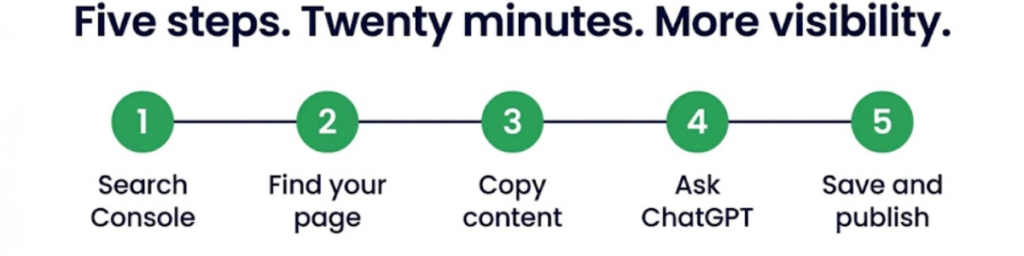
Step 1 — Open Google Search Console
Go to Google Search Console and sign in with your Google account.
This is Google's own free tool, and it's one of the most valuable things available to any business with a website. Think of it as a report card for your online visibility — it shows you exactly how your website is performing in search results, which pages are being seen, and what words people are using to find you.
If you've never set it up before, follow the on-screen prompts to verify your website. It takes a few minutes and Google walks you through it.
Step 2 — Find Your Most Important Page
Once you're in, click 'Search Results' in the left-hand menu. Then click on your homepage or the page that describes your main service.
You'll see a list of actual search terms — real words that real people have typed into Google and ended up on your page. This is genuinely useful information. These are the words your potential customers are already using. Most business owners have never seen this data before.
Make a note of the top 5–10 search terms. These are your starting point.
Step 3 — Copy Your Page Content
Open your website in a separate tab. Go to the page you were just looking at in Search Console.
Select all the text on that page — press Ctrl+A on a PC or Cmd+A on a Mac — and copy it.
Step 4 — Ask ChatGPT to Help You Improve It
Go to ChatGPT (free version is fine). Paste your page content and the search terms from Step 2, then type this prompt:
"Here is our page content and the keywords Google ranks us for. How can I improve this page to rank higher in local search results?"
ChatGPT will come back with clear, plain-English suggestions. Typically this includes things like:
- Adding more specific detail about your services
- Using the exact words your customers are already searching for
- Improving your headings so they match common search queries
- Making your location and service area clearer on the page
Work through the suggestions that make sense for your business. You don't need to implement all of them — even two or three changes can make a noticeable difference.
Step 5 — Update Your Page and Save
Make the changes to your website. Save the page.
Google re-reads pages regularly, and pages that haven't been updated in a while often see the most improvement after a refresh. You don't need to do anything to tell Google — it will find the changes on its own, usually within a few hours to a few days.
Check Your Website Traffic While You're at It
Google Analytics is another free Google tool that shows you how many people are visiting your website, where they're coming from, and which pages they spend the most time on.
It now has a built-in AI assistant — look for the small chat icon in the top right corner once you're logged in. You can ask it plain-English questions like:
- "What are my most visited pages?"
- "Where am I losing visitors?"
- "Which pages have people on them the longest?"
No technical knowledge needed. It gives you straight answers.
Why Your Directory Listing Matters Here Too
Everything covered above applies just as much to your listing on a local business directory as it does to your website.
A detailed, up-to-date profile on a trusted local business directory platform gives Google more reason to recommend you to local searchers. The more complete your listing — a clear description using the words your customers actually search for, current photos, regular updates — the better it performs in local results.
The same principle applies: Google trusts businesses that present consistent, accurate, and detailed information. Your directory listing and your website should tell the same story, using the same language, so that everything reinforces everything else.
Quick Recap — The Full Process
| Step | What to Do | Time |
|---|---|---|
| 1 | Open Google Search Console, connect your website | 5 mins |
| 2 | Find the search terms people use to reach your page | 2 mins |
| 3 | Copy your page content | 1 min |
| 4 | Paste into ChatGPT, ask for improvement suggestions | 5 mins |
| 5 | Make the changes to your website | 10 mins |
Total: around 20 minutes. No cost. No technical skills required.
One Last Check Worth Doing
Once you've updated your page, type your business type and your town or area into Google — the way a potential customer who doesn't know your name would search for you. See who appears. If competitors are showing up above you, click through to their websites and look at their service descriptions. Chances are they're more detailed than yours. That's something you can fix yourself, today, for free.
Free tools mentioned in this article:
- Google Search Console — see how your website performs in search
- ChatGPT — get plain-English suggestions for improving your content
- Google Analytics — understand who's visiting your site and how
- Google Business Profile — manage what appears on Google Maps